How to Make OpenAI API Calls in Your JavaScript Application
OpenAI provides a robust API that allows developers to leverage its state-of-the-art language models for various applications. However, interacting with APIs can sometimes be cumbersome, especially when handling authentication, constructing HTTP requests, and parsing responses.
This tutorial will guide you through making OpenAI API calls in a JavaScript application using a simple npm package called openai-api-helper.
You'll learn how to install the openai-api-helper package, set it up in your JavaScript application, and make your first API call to OpenAI.
You can find more details on the openai-api-helper package here:
Before we begin, ensure you have the following:
- Nodejs should be installed.
- A valid OpenAI API key. You can obtain this by signing up for an API key on the OpenAI website.
Installing the openai-api-helper npm Package#
To begin, you need to install the openai-api-helper package from npm. This package provides an easy-to-use interface for making requests.
Open your terminal and run the following command to install the openai-api-helper package:
Ensure that your project is initialized with package.json. If you haven't already done so, you can initialize it with:
Usage#
Now that you've installed the package, let's write some code to make an API call to OpenAI. The following example demonstrates how to use the openai-api-helper package to interact with the OpenAI API.
Create a JavaScript File
Create a new file named app.js (or any name you prefer) in your project directory.
Write the Code
Add the following code to app.js:
Run Your Code
Execute the app.js file using Node.js:
You should see the response from OpenAI printed in your terminal.
Example Output#
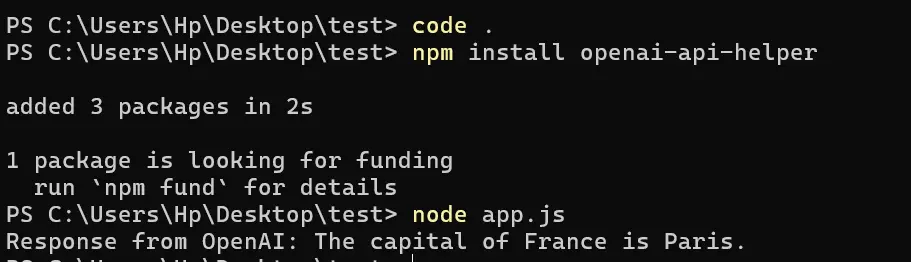
Congrats! You've just made OpenAI API call from your Js Application.
Feel free to explore further and experiment with different prompts and models to fully harness the capabilities of OpenAI's API.
If you have any questions or run into issues, don't hesitate to reach out to me on socials or check out the documentation for more detailed information.